Export and import profiles
Settings > Profile > Export profile as a code generates a short-lived share string. Friends use Import > From code to pull the same mods and configs. Codes expire after about one hour; use file export for longer sharing.
R2MODMAN TOOLSET
Walk through the workflows that keep Thunderstore installs tidy, isolated, and easy to swap between sessions.
Separate mod lists for each game and setup.
Browse, download, and update mods in-app.
Edit mod settings without digging through folders.
Safe installation
Packages land in profile folders wired through BepInEx while vanilla directories stay read-only. Launch modded stacks or vanilla builds for troubleshooting—Steam, Epic, and other launchers still work per title.
Pick your title once per session from the game grid. Helped entries include Risk of Rain 2, Valheim, Dyson Sphere Program, GTFO, BONEWORKS, Lethal Company, and expanding Thunderstore titles.
First-time install guide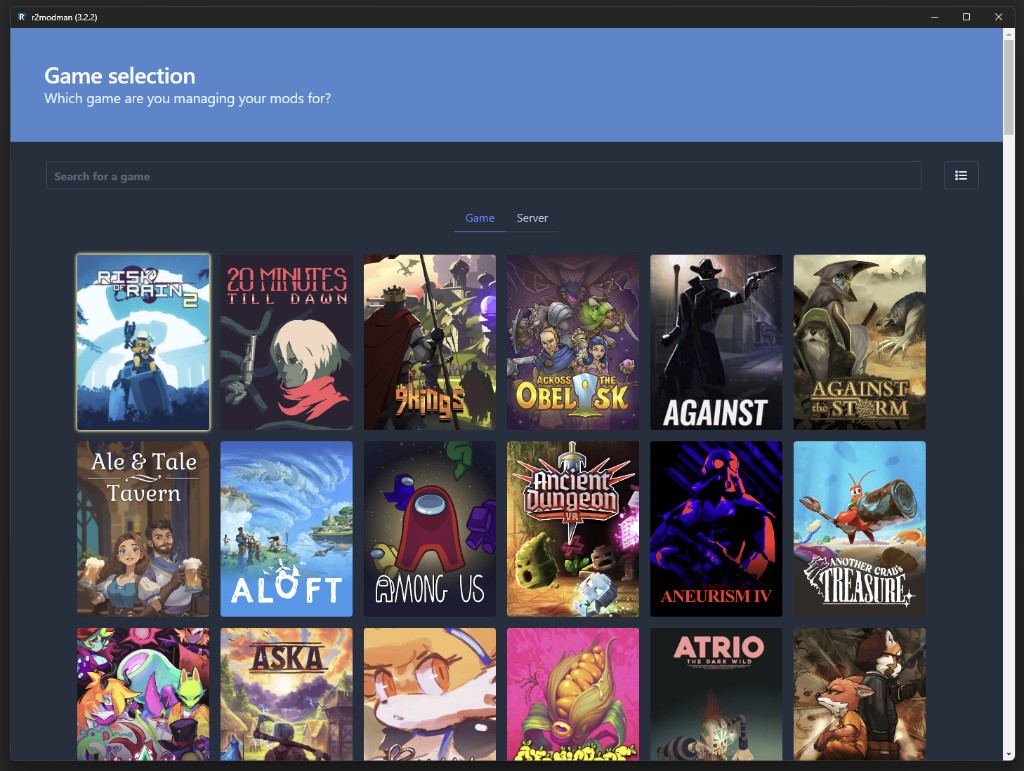
Profile management
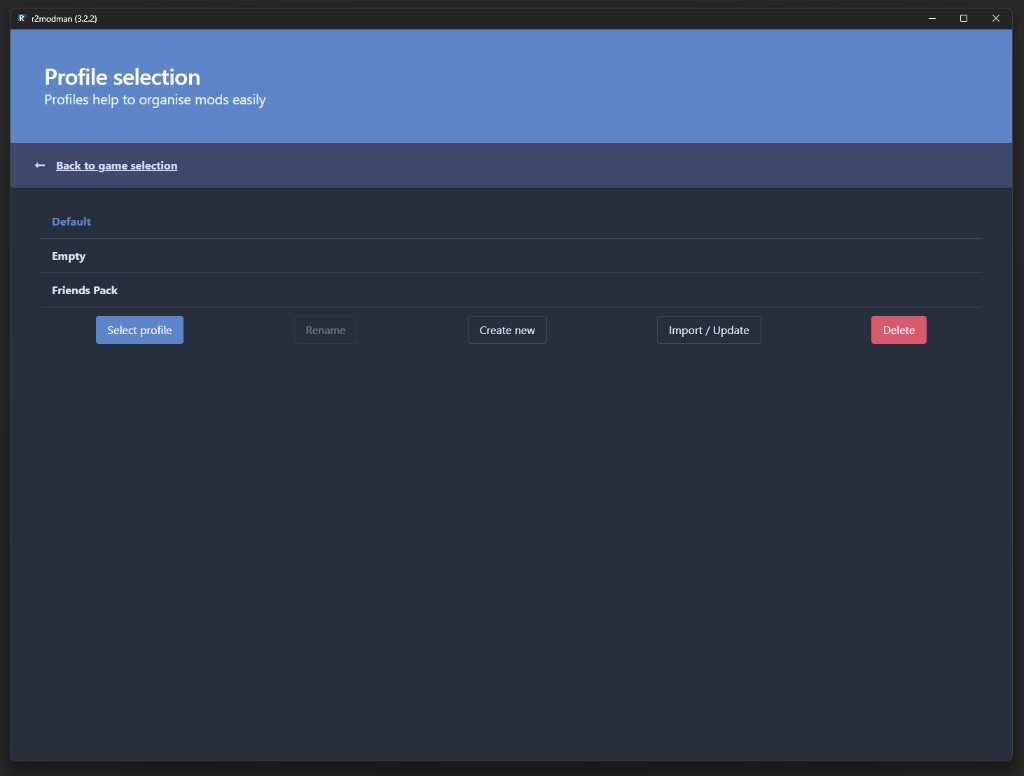
Profiles are independent mod lists tied to one game. Create a profile for casual co-op, another for modded runs, and switch without reinstalling. Change profile from Settings > Profile > Change profile at any time.
Mod discovery
Browse the full Thunderstore catalog from inside the manager. Search by name, view descriptions, and install with Install with dependencies so required libraries install together.
Outdated mods show a cloud icon on the Installed tab. Update individually for control or use Update all mods from Settings when you trust the full set.
How to update mods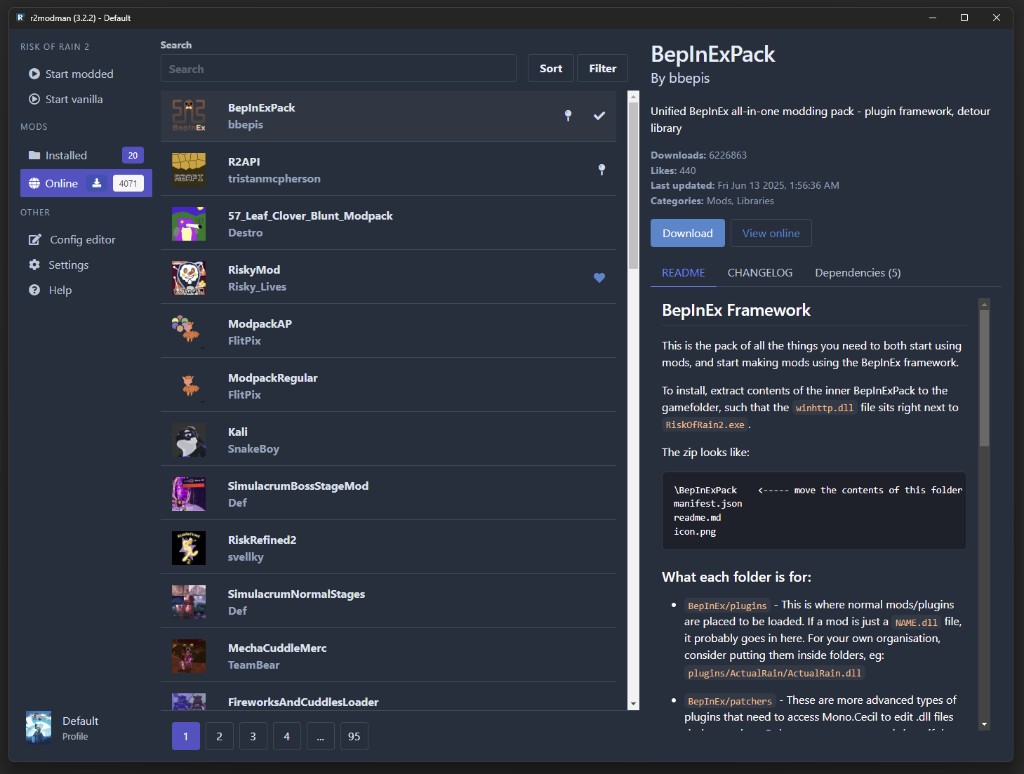
Installed mods
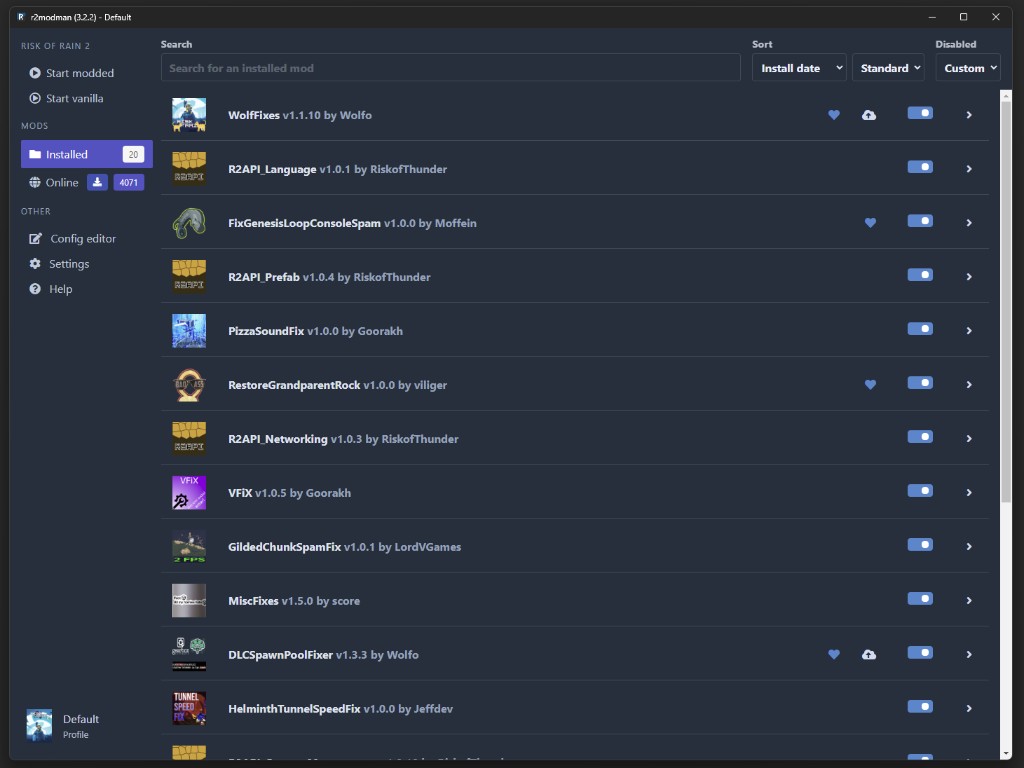
The Installed view lists every mod in the active profile with version info, enable toggles, and quick actions. Expand a card to read details, update, or uninstall without digging through BepInEx folders.
R2ModMan surfaces outdated packages and dependency gaps before launch. Pair this with updating one mod at a time when debugging crashes after game patches.
Configuration
Edit mod configuration files directly in the manager instead of opening Notepad. Recent versions improve multi-select and loading performance for large config sets.
You can also open the profile folder via Settings > Locations > Browse profile folder and edit files under BepInEx/config manually when needed.
Config editing guide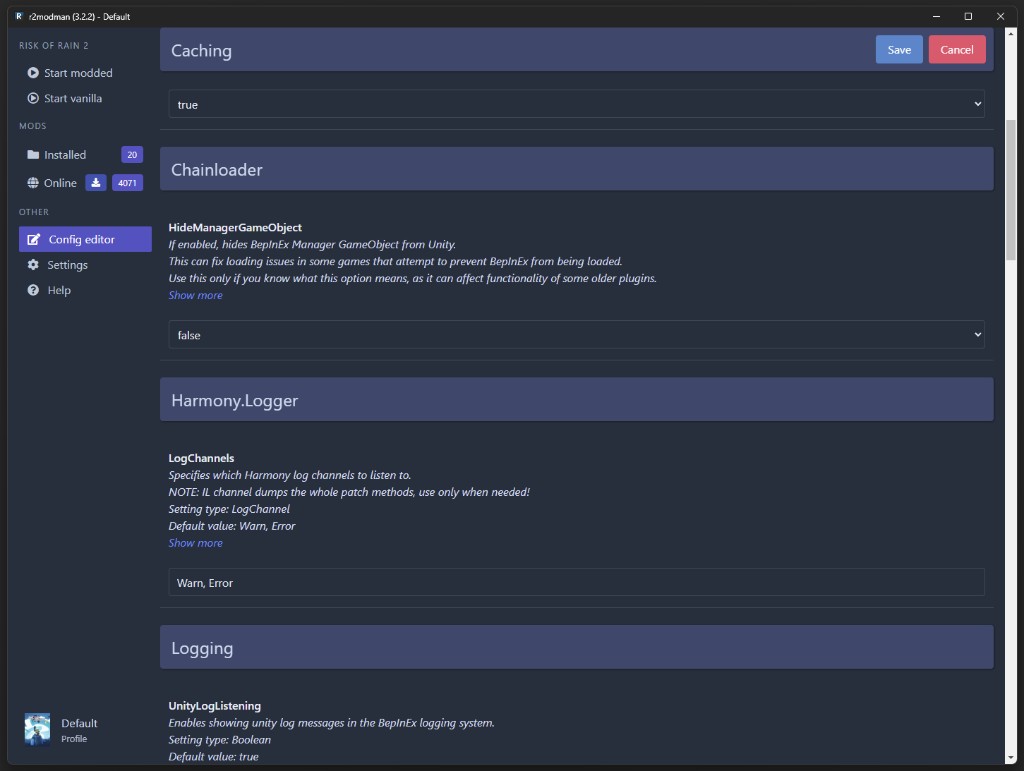
Launch controls
Open the profile you want, then click Start modded in the sidebar to launch with all enabled mods active. Use Start vanilla when troubleshooting without mods.
For Steam on Linux, copy the launch command from the Help tab into Steam Launch Options if mods fail to load under Proton.
Launch guide
Settings > Profile > Export profile as a code generates a short-lived share string. Friends use Import > From code to pull the same mods and configs. Codes expire after about one hour; use file export for longer sharing.
R2ModMan checks for manager updates while running and applies them after you close the app. Mod updates are separate and controlled from the Installed tab or bulk update in Settings.
Multi-game support
One application covers Unity games that use Thunderstore and BepInEx rather than Steam Workshop. Full support titles include Risk of Rain 2, Valheim, and Dyson Sphere Program. Partial or growing support includes GTFO and new additions such as Crawlspace and Big Ambitions in recent releases.