Powerful Mod Management, Built for Clean Game Profiles
Explore the core tools that make R2ModMan a fast, safe, and profile-based mod manager for Thunderstore games.
01Profiles
Separate mod lists for each game and setup.
02Thunderstore
Browse, download, and update mods in-app.
03Config Tools
Edit mod settings without digging through folders.
Safe installation
تركيب وزارة الدفاع أكثر أمانا
يتم تثبيت التعديلات في أدلة الملفات الشخصية المُدارة المرتبطة بلعبتك من خلال BepInEx. تظل ملفات اللعبة الأصلية سليمة. قم بتشغيل الإصدار المعدل للحزم الكاملة أو استخدم تشغيل الفانيليا عند استكشاف الأخطاء وإصلاحها. تظل Steam وEpic وقاذفات الألعاب الأخرى مدعومة اعتمادًا على اللعبة.
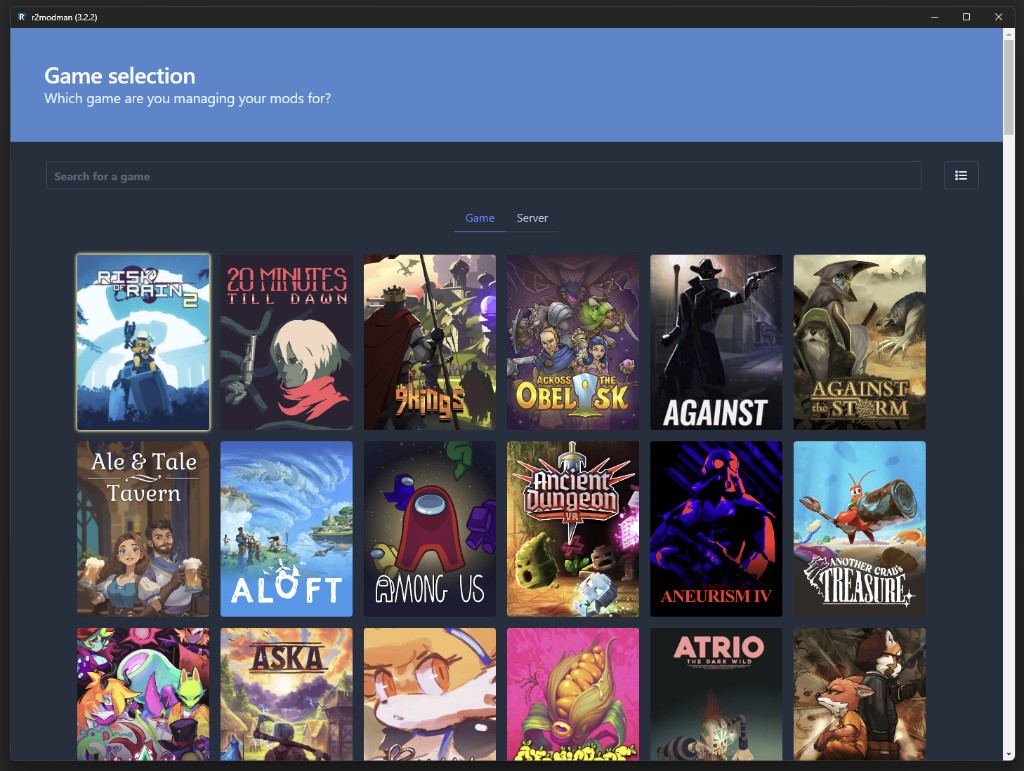
اختيار اللعبة
اختر عنوانك مرة واحدة في كل جلسة من شبكة اللعبة. تتضمن الإدخالات المدعومة Risk of Rain 2، Valheim، Dyson Sphere Program، GTFO، BONEWORKS، Lethal Company، والعناوين الموسعة Thunderstore.
Search or scroll the game grid, then select the title you want to mod.
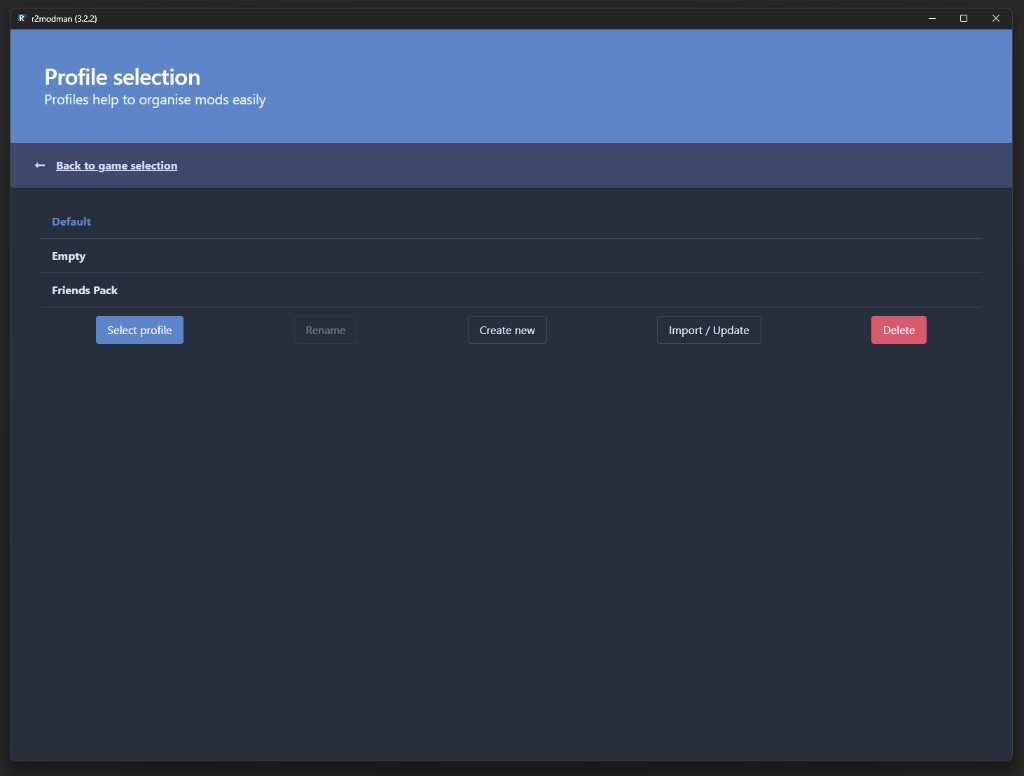
Profile management
إدارة الملف الشخصي وزارة الدفاع
الملفات الشخصية عبارة عن قوائم تعديل مستقلة مرتبطة بلعبة واحدة. أنشئ ملفًا شخصيًا للعب التعاوني غير الرسمي، وآخر لعمليات التشغيل المعدلة، وقم بالتبديل دون إعادة التثبيت. تغيير الملف الشخصي من الإعدادات > الملف الشخصي > تغيير الملف الشخصي في أي وقت.
تمكين أو تعطيل التعديلات لكل ملف تعريف بنقرة واحدة
Each profile stores its own mod list, configs, and enabled state — switch between Default, co-op packs, and custom setups instantly.
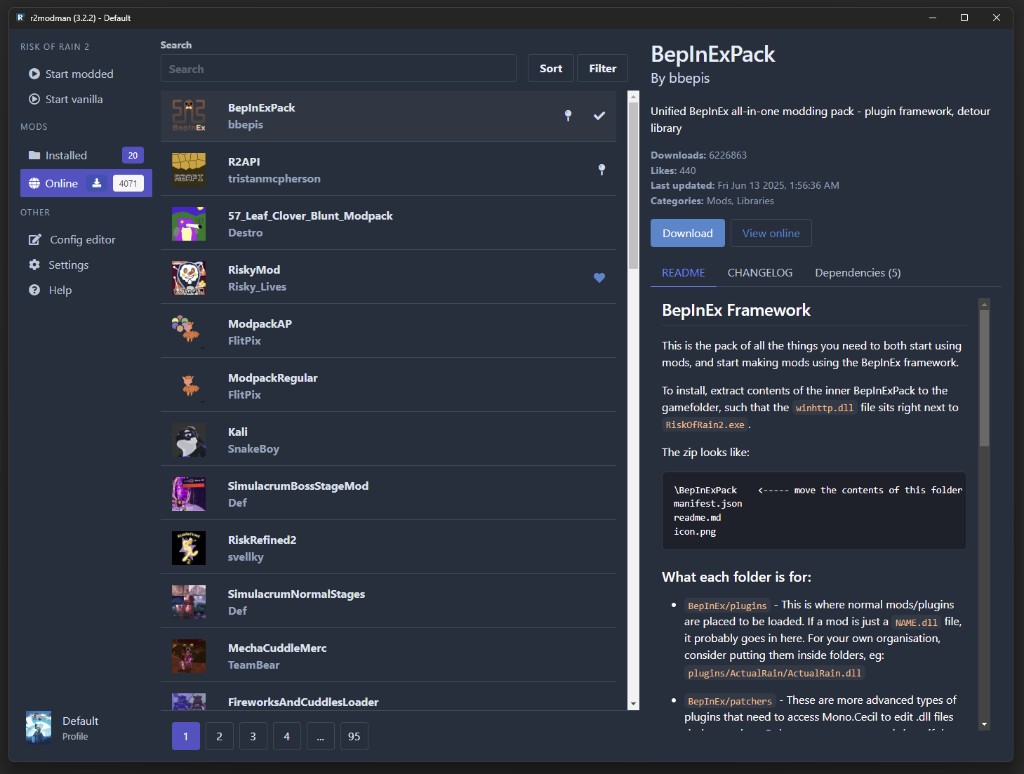
Mod discovery
Thunderstore متصفح مود
تصفح كتالوج Thunderstore الكامل من داخل المدير. ابحث حسب الاسم، واعرض الأوصاف، وقم بالتثبيت باستخدام الاحصل على الإصدار باستخدام التبعيات، لذلك يتم تثبيت المكتبات المطلوبة معًا.
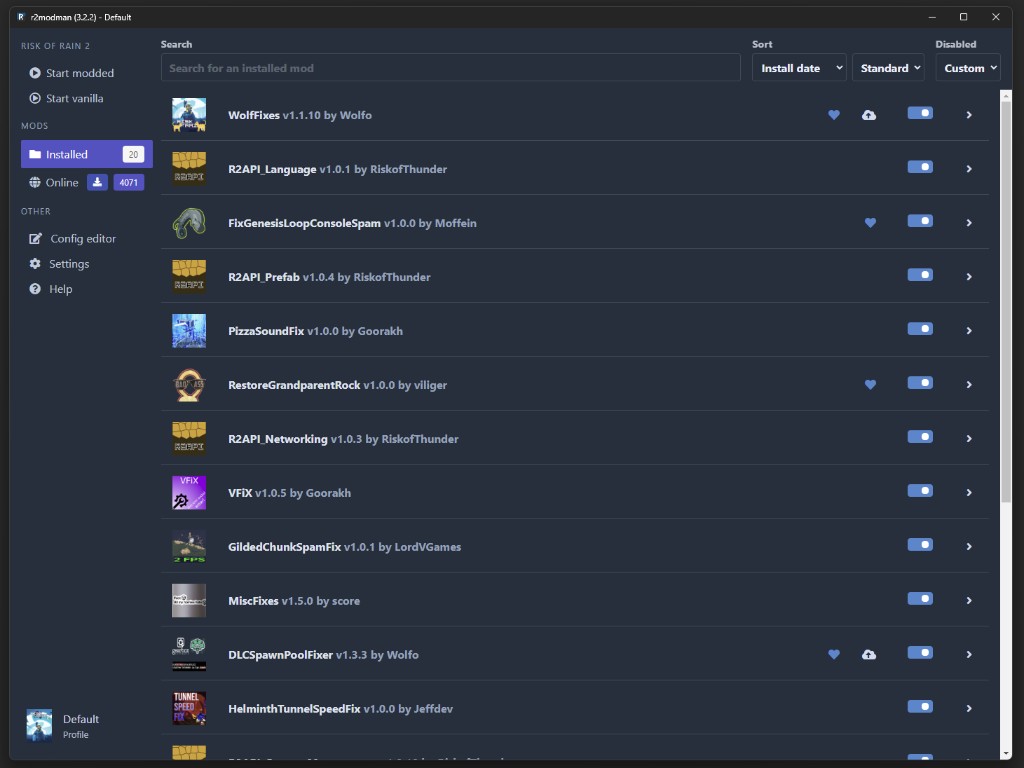
تعرض التعديلات القديمة أيقونة السحابة في علامة التبويب المثبتة. قم بالتحديث بشكل فردي للتحكم أو الاستخدام. قم بتحديث جميع التعديلات من الإعدادات عندما تثق في المجموعة الكاملة.
Browse Thunderstore, read the README, and download mods with dependencies in one click.
Installed mods
فحص الوضع المثبت
يسرد العرض المثبت كل تعديل في ملف التعريف النشط مع معلومات الإصدار وتمكين التبديل والإجراءات السريعة. قم بتوسيع البطاقة لقراءة التفاصيل أو التحديث أو إلغاء التثبيت دون البحث في مجلدات BepInEx.
الوعي التوافق
R2ModMan يعرض الحزم القديمة وفجوات التبعية قبل الإطلاق. قم بإقران هذا بتحديث تعديل واحد في الوقت الذي يتعطل فيه debugging بعد تصحيحات اللعبة.
Look for the cloud icon on mod cards when updates are available
Toggle mods on and off per profile from one view
R2ModMan · Installed mods
Look for the cloud icon on mod cards when updates are available, or toggle mods on and off per profile.
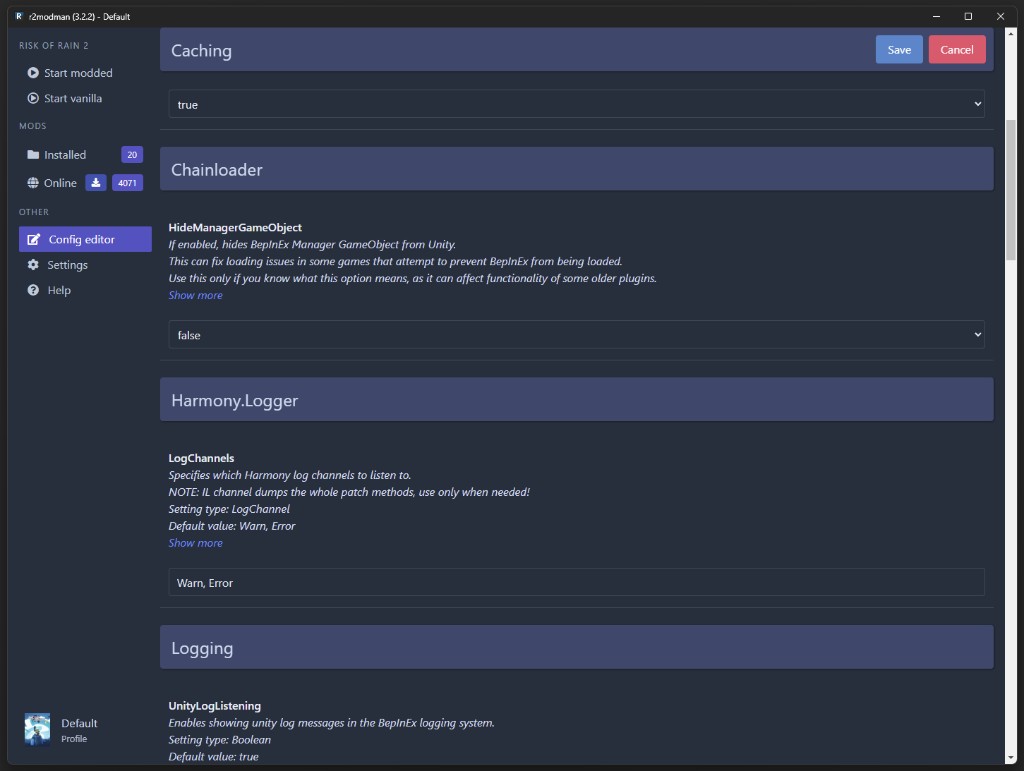
Configuration
محرر التكوين المدمج
قم بتحرير ملفات تكوين التعديل مباشرةً في المدير بدلاً من فتح Notepad. تعمل الإصدارات الأخيرة على تحسين أداء التحديد المتعدد والتحميل لمجموعات التكوين الكبيرة.
يمكنك أيضًا فتح مجلد الملف الشخصي عبر الإعدادات > المواقع > تصفح مجلد ملف التعريف وقم بتحرير الملفات ضمن BepInEx/config يدويًا عند الحاجة.
Tweak BepInEx and mod settings without hunting through folders — save before launching the game.
Launch controls
Launch and play
Open the profile you want, then click Start modded in the sidebar to launch with all enabled mods active. Use Start vanilla when troubleshooting without mods.
For Steam on Linux, copy the launch command from the Help tab into Steam Launch Options if mods fail to load under Proton.
Start modded launches your profile with every enabled mod loaded — vanilla launch skips them for clean testing.
تصدير واستيراد الملفات الشخصية
الإعدادات > الملف الشخصي > يؤدي ملف تعريف التصدير كرمز إلى إنشاء سلسلة مشاركة قصيرة العمر. يستخدم الأصدقاء الاستيراد > من التعليمات البرمجية لسحب نفس التعديلات والتكوينات. تنتهي صلاحية الرموز بعد حوالي ساعة واحدة؛ استخدم تصدير الملفات للمشاركة لفترة أطول.
التحديثات التلقائية
R2ModMan يتحقق من تحديثات المدير أثناء التشغيل ويطبقها بعد إغلاق التطبيق. تكون تحديثات التعديل منفصلة ويتم التحكم فيها من علامة التبويب المثبتة أو التحديث المجمع في الإعدادات.
Multi-game support
منصة متعددة الألعاب
يغطي أحد التطبيقات ألعاب Unity التي تستخدم Thunderstore وBepInEx بدلاً من Steam Workshop. تتضمن عناوين الدعم الكامل Risk of Rain 2 وValheim وDyson Sphere Program. يتضمن الدعم الجزئي أو المتزايد GTFO والإضافات الجديدة مثل Crawlspace وBig Ambitions في الإصدارات الأخيرة.
قدرات إضافية
الوضع الداكن عبر الإعدادات > أخرى> تبديل الموضوع
Linux AppImage، deb، rpm، pacman، tar.gz يبني
Flatpak دعم لوضع سطح المكتب Steam Deck
فرض الحل البديل Proton عبر ملف .forceproton في دليل اللعبة