导出和导入配置文件
Settings > Profile > Export profile as a code generates a short-lived share string. Friends use Import > From code to pull the same mods and configs. Codes expire after about one hour; use file export for longer sharing.
R2MODMAN FEATURES
Explore the core tools that make R2ModMan a fast, safe, and profile-based mod manager for Thunderstore games.
Separate mod lists for each game and setup.
Browse, download, and update mods in-app.
Edit mod settings without digging through folders.
Safe installation
Mod 安装到通过 BepInEx 链接到您的游戏的托管配置文件目录中。您的原始游戏文件保持不变。启动完整包的 modded 或在故障排除时使用普通启动。 Steam、Epic 和其他启动器仍然受支持,具体取决于游戏。
每个会话从游戏网格中选择一次您的标题。支持的条目包括 Risk of Rain 2、Valheim、Dyson Sphere Program、GTFO、BONEWORKS、Lethal Company 和扩展 Thunderstore 标题。
First-time install guide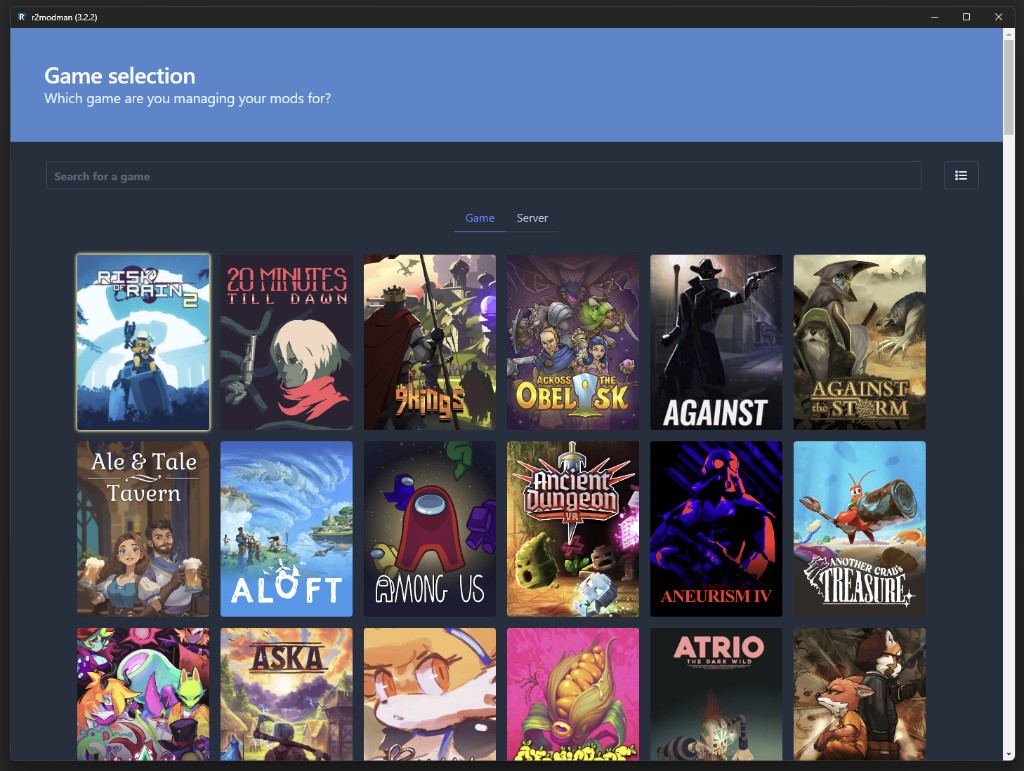
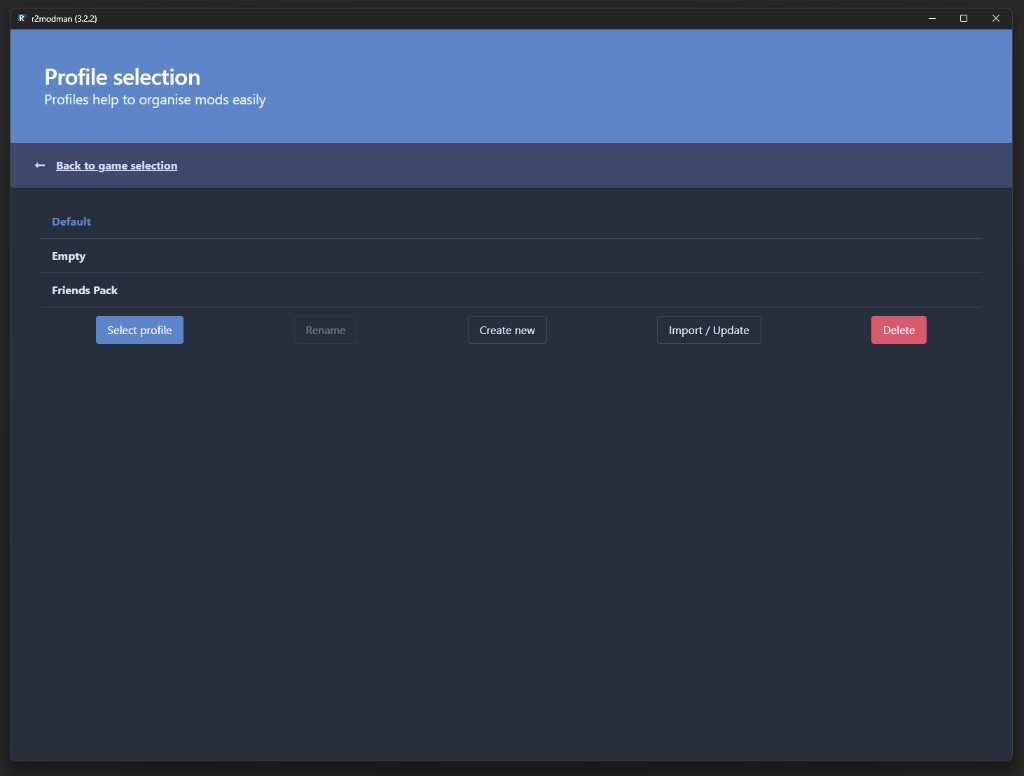
Profile management
Profiles are independent mod lists tied to one game. Create a profile for casual co-op, another for modded runs, and switch without reinstalling. Change profile from Settings > Profile > Change profile at any time.
Mod discovery
从管理器内部浏览完整的 Thunderstore 目录。按名称搜索、查看描述并通过获取版本依赖项进行安装,以便将所需的库安装在一起。
过时的模组会在“已安装”选项卡上显示云图标。单独更新以进行控制或使用当您信任全套模组时从“设置”更新所有模组。
如何更新模组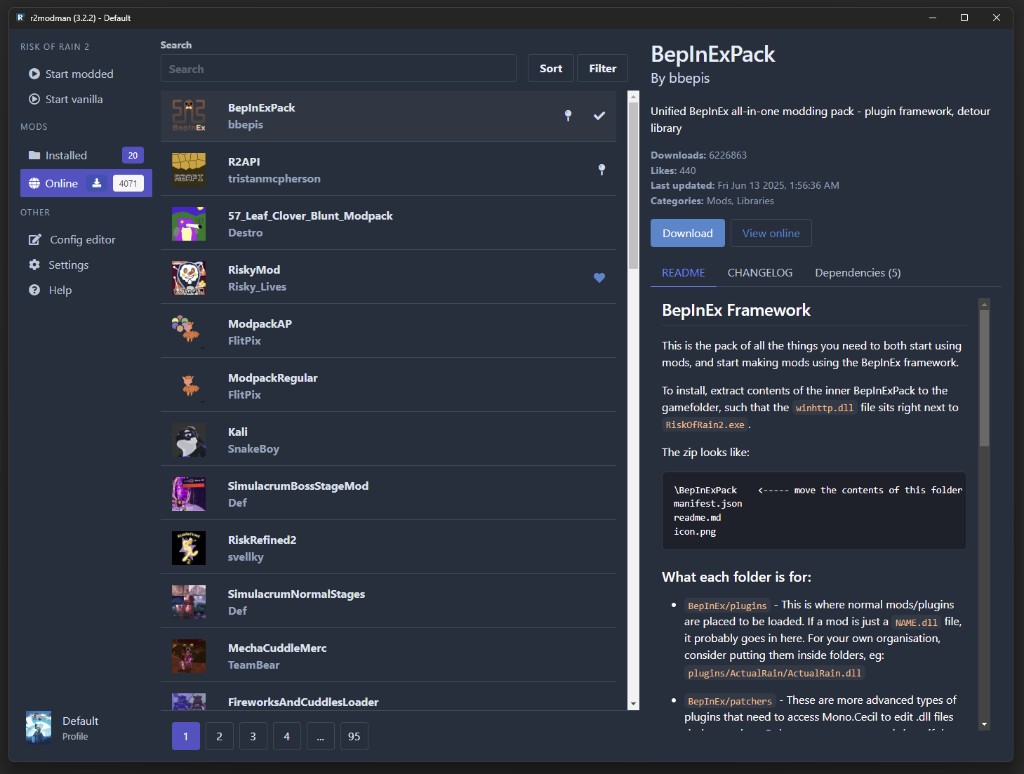
Installed mods
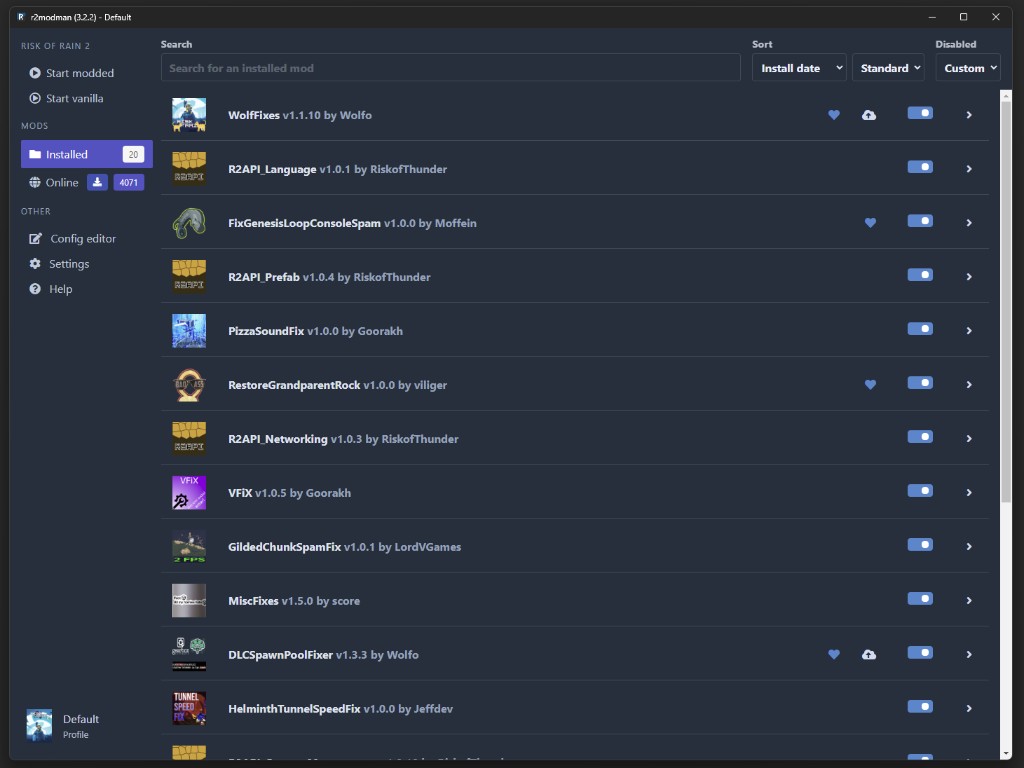
“已安装”视图列出了活动配置文件中的每个模组,以及版本信息、启用切换和快速操作。展开卡片即可读取详细信息、更新或卸载,而无需挖掘 BepInEx 文件夹。
R2ModMan 在启动前显示过时的软件包和依赖项差距。当游戏补丁后调试崩溃时,将此与一次更新一个模组配对。
Configuration
直接在管理器中编辑 mod 配置文件,而不是打开 Notepad。最新版本改进了大型配置集的多选和加载性能。
You can also open the profile folder via Settings > Locations > Browse profile folder and edit files under BepInEx/config manually when needed.
配置编辑教程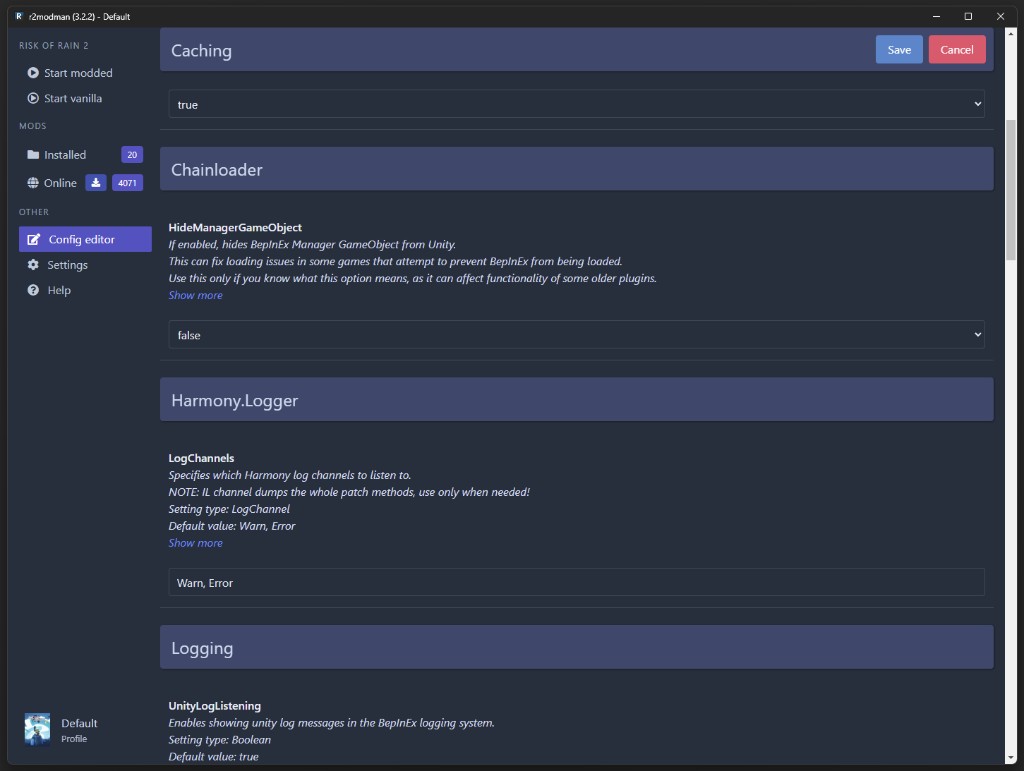
Launch controls
Open the profile you want, then click Start modded in the sidebar to launch with all enabled mods active. Use Start vanilla when troubleshooting without mods.
For Steam on Linux, copy the launch command from the Help tab into Steam Launch Options if mods fail to load under Proton.
Launch guide
Settings > Profile > Export profile as a code generates a short-lived share string. Friends use Import > From code to pull the same mods and configs. Codes expire after about one hour; use file export for longer sharing.
R2ModMan 在运行时检查管理器更新,并在关闭应用程序后应用它们。 Mod 更新是独立的,并通过“已安装”选项卡或“设置”中的批量更新进行控制。
Multi-game support
一款应用程序涵盖使用 Thunderstore 和 BepInEx 而不是 Steam Workshop 的 Unity 游戏。完全支持的游戏包括 Risk of Rain 2、Valheim 和 Dyson Sphere Program。部分或不断增长的支持包括 GTFO 以及最近版本中新增的 Crawlspace 和 Big Ambitions 等。