Windows 获取版本
大致封装尺寸:126 MB。获取版本 Thunderstore zip、解压并运行 r2modman Setup X.X.X.exe。当提示进行系统范围安装时,以管理员身份运行。
- 确保满足 Windows 版本的 .NET Framework 要求
- 将获取版本的存档解压到您控制的文件夹中
- 运行安装程序并选择每用户或所有用户范围
- 启动 R2ModMan 并选择您的游戏
获取适合您平台的最新模组管理器版本。安装前验证完整性并仅使用官方分销渠道。
Follow this Windows walkthrough after downloading the Thunderstore zip. Each step matches the official installer — version numbers in screenshots may differ slightly from the latest release.
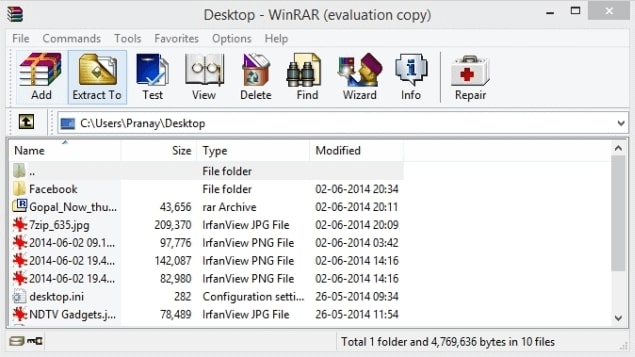
获取版本 the R2ModMan zip from an official source, open it in WinRAR or another archive tool, and click Extract To to unpack the files into a folder you control.
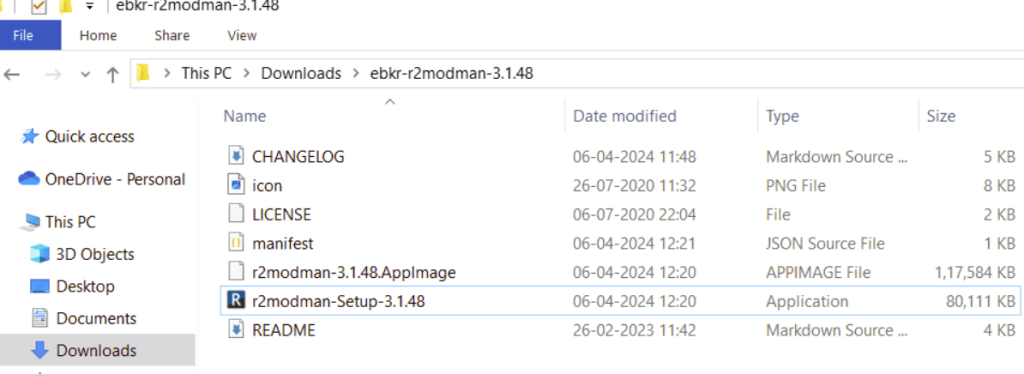
Open the extracted folder and double-click r2modman-Setup (the version number in the filename may differ). This launches the Windows installer.
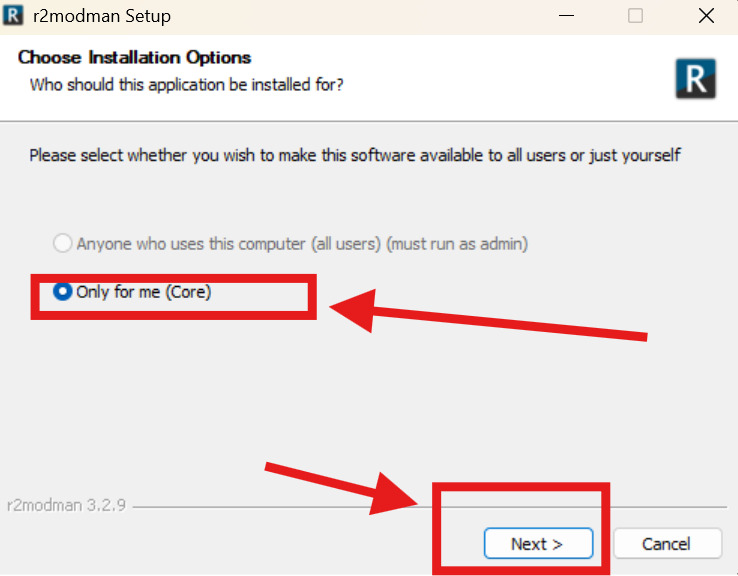
When asked who the app is for, select Only for me for a standard per-user install (recommended). Choose all-users only if you need a system-wide install and can run as administrator. Click Next.
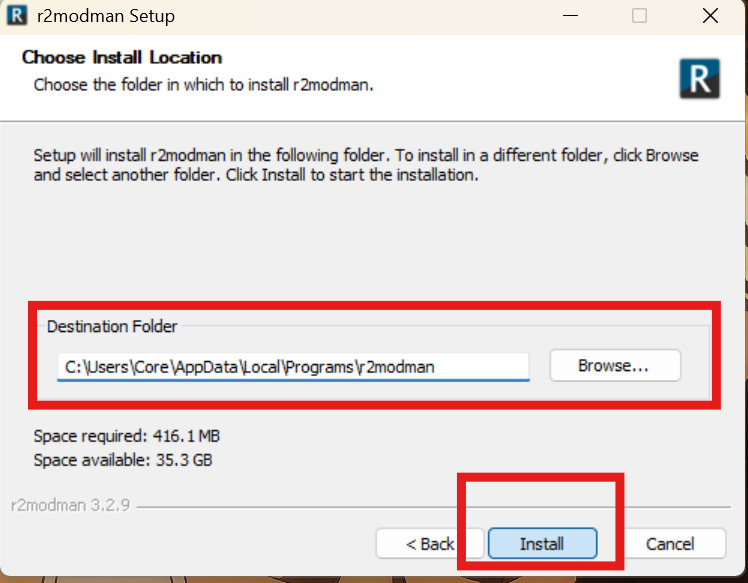
Review the destination folder — the default path under AppData\Local\Programs\r2modman works for most users. Use Browse to change it if needed, then click Install.
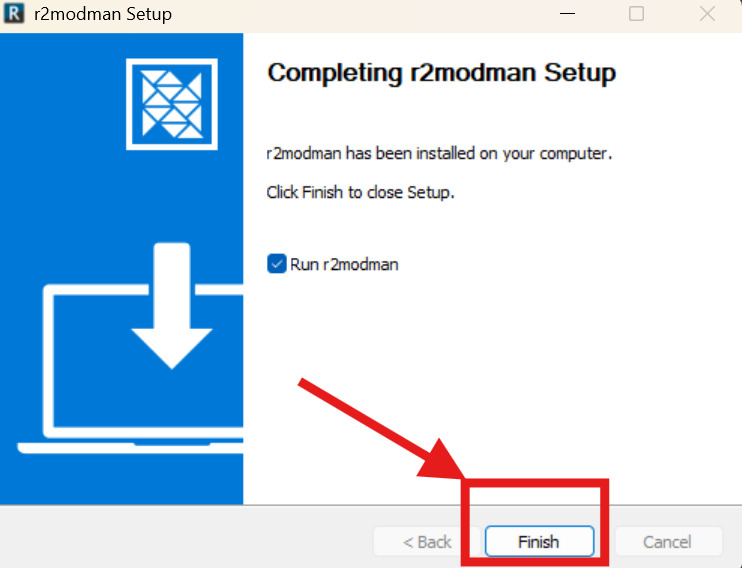
When setup completes, leave Run r2modman checked to open the app immediately, then click Finish. Select your game from the grid and create your first profile.
After installing the manager, pick your game from the grid, create a profile, and browse Thunderstore for mods. Risk of Rain 2, Valheim, Lethal Company, and dozens of other Unity titles are supported.
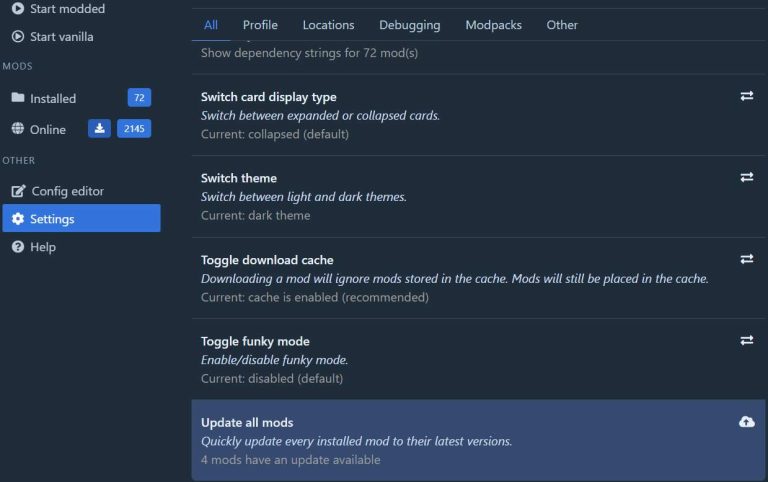
Keeping mods current is straightforward. There are two ways to update mods inside the manager:
You can also click the cloud icon on a mod card directly to update without opening full details — useful when updating one mod at a time after a game patch.
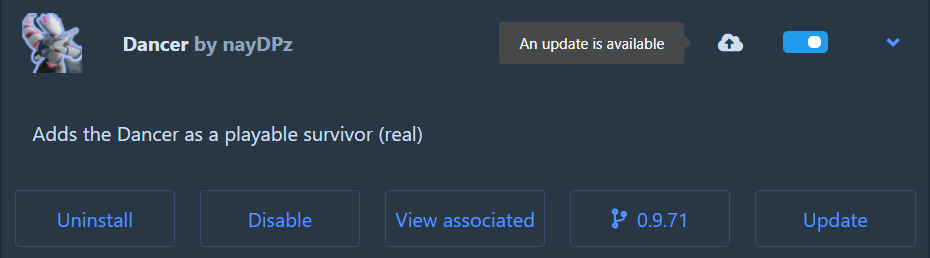
Updating one by one is recommended when debugging crashes — you can see exactly which mod changed. If updates still fail, check our troubleshooting guide.
For a full walkthrough with more screenshots, visit the 教程 page.
R2ModMan 是开源的。规范包发布在 Thunderstore 上的 R2ModMan/r2modman 下。源代码由同一开发人员维护在 r2modmanPlus 存储库中。该网站不托管安装程序文件;配置后,此页面上的获取版本按钮将指向您选择的官方 URL。
当您从官方发布页面获取版本时,请使用操作系统工具将发布的 SHA-256 或 SHA-512 哈希值与本地文件进行比较。在 Windows 上,使用 CertUtil。在 Linux 上,使用 sha256sum。匹配的哈希值确认文件在传输过程中没有被更改。
某些发布渠道可能会提供签名的安装程序。如果签名文件可用,请在运行安装程序可执行文件之前使用开发人员公钥对其进行验证。
Mod 管理器与游戏目录交互,获取版本社区 DLLs,并可能使用触发启发式检测的安装程序。 R2ModMan 广泛使用,有数百万次 Thunderstore 获取版本,并且不被开源社区归类为恶意软件。
从非官方镜像获取版本时,误报更为常见。如果您的防病毒软件隔离了应用程序,请仅在验证官方来源的哈希值后才能恢复。仅当您确认文件完整性时才添加排除项。